A cat that lives on your Mac.

Desktop Zoomies puts a little cat (or twenty) on your screen. It climbs your windows and its own cat tree, perches on your buttons and shelves, naps in its bed, chases a laser, gets tangled in yarn, pulls up a desk and types right along with you, and when you put some music on, it spins the records.

Free to try with one cat · a licence unlocks more cats, the furniture, the toys and more · macOS 13 Ventura or newer · Apple silicon & Intel
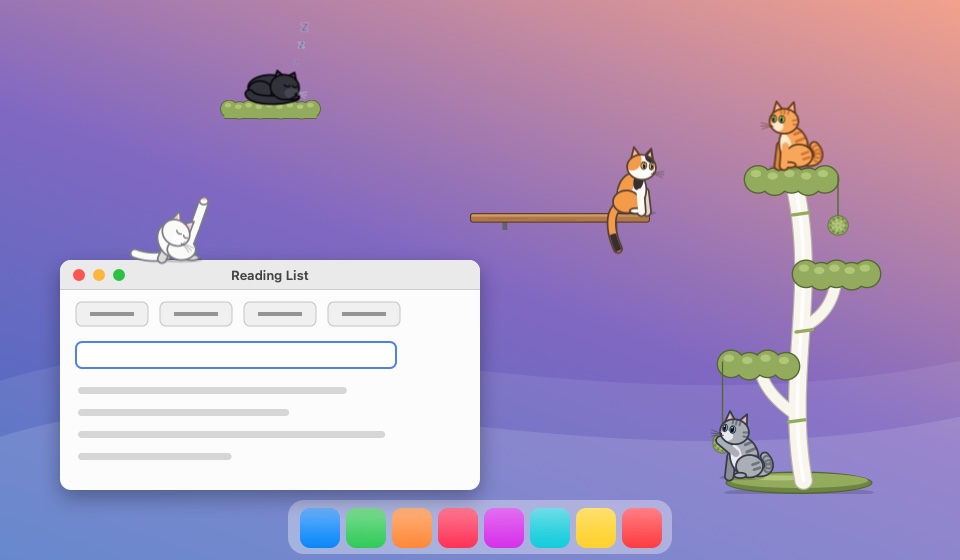
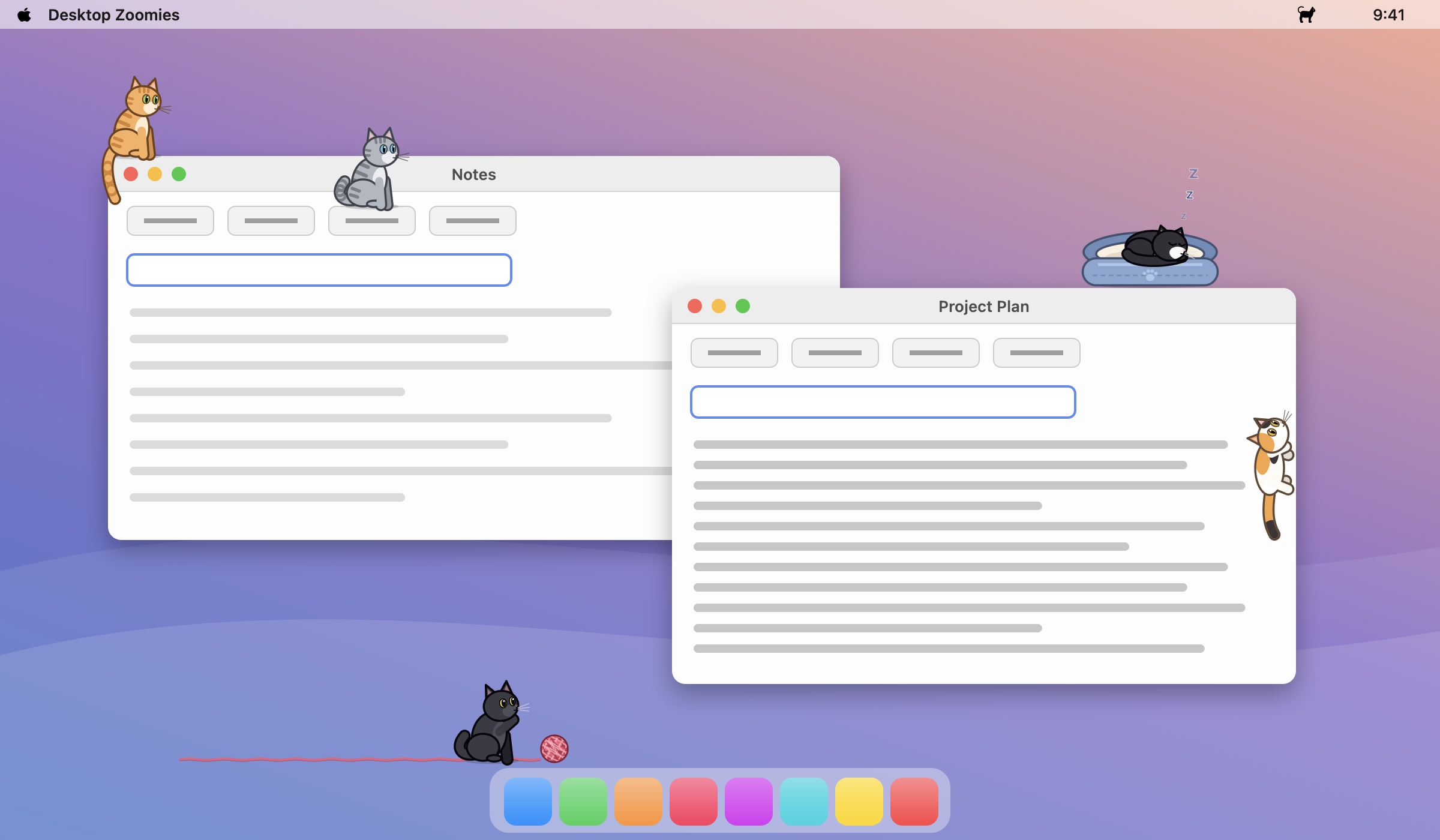
A mock Mac desktop with cats on it: one sits on the end of a window with its tail dangling, one perches on a toolbar button, one climbs the side of a window, a tuxedo cat sleeps in a cat bed, and a black cat bats a ball of yarn along the bottom of the screen.
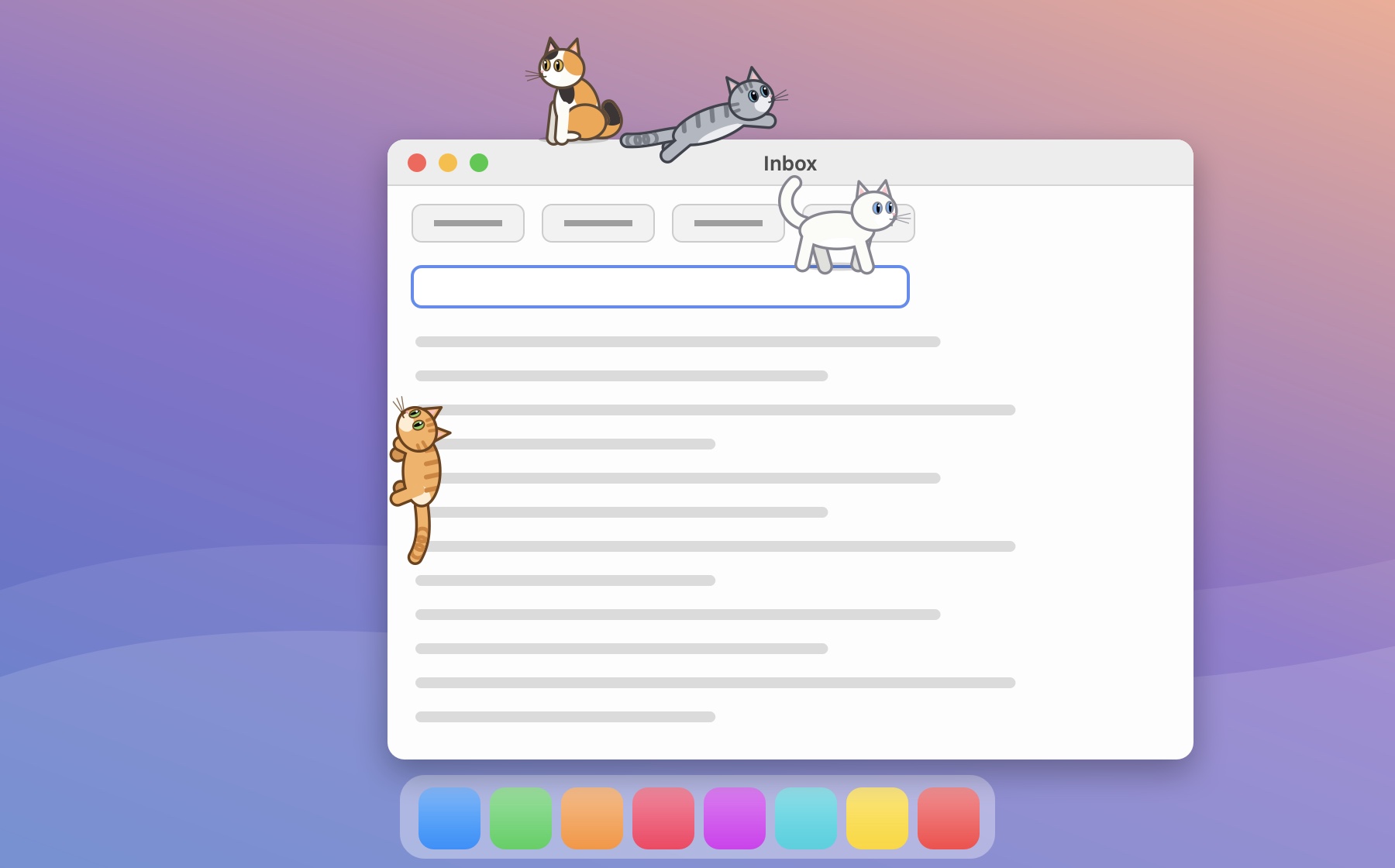
A cat climbing up the side of a window while others sit on its top edge, leap between toolbar buttons and walk along a text field.
Up high

It climbs everything

Like any cat, it would rather be up high. It hops from ledge to ledge, from the bottom of the screen to the tops of windows and the buttons, text fields and lists inside them. When a ledge is out of reach, it scrambles up the side of the window like a curtain.

  • Only short, natural hops: no teleporting across the screen
  • Sits on window edges with its tail dangling over, whipping back and forth
  • Rides along when you drag its window, and drops down if you close it
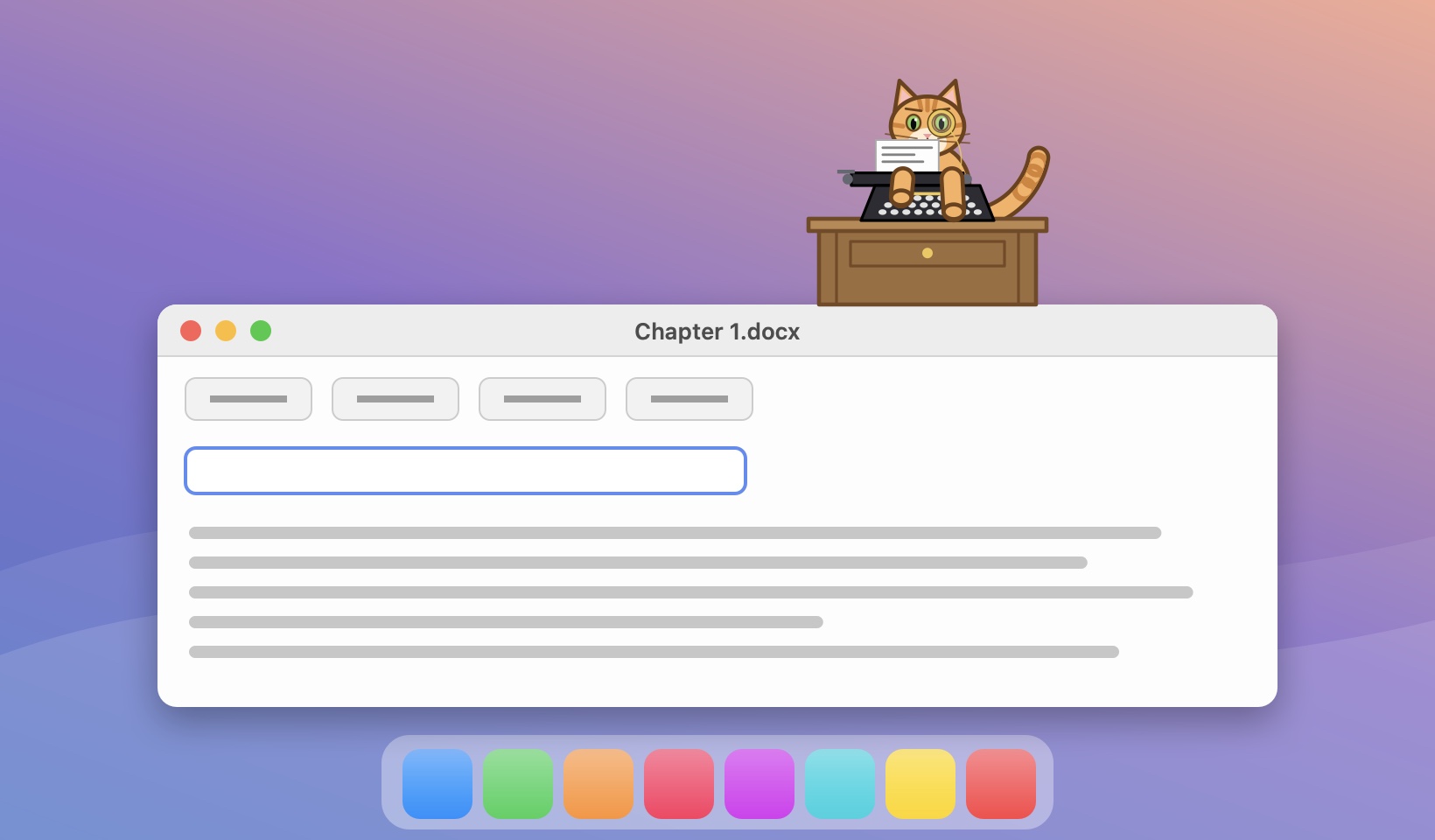
A front-facing orange cat wearing a monocle sits behind a wooden desk on top of a document window, typing on a black typewriter.
Typing along · With a licence

Busy typing? So is the cat.

When you've been typing for a while, the nearest cat sits down behind a little desk, facing you, monocle firmly in place, and hammers away at a typewriter in time with your keystrokes: the carriage slides, lines fill the page, and it dings at the end of every line.

Take a break and it stretches, has a quick groom, and gets back to being a cat.

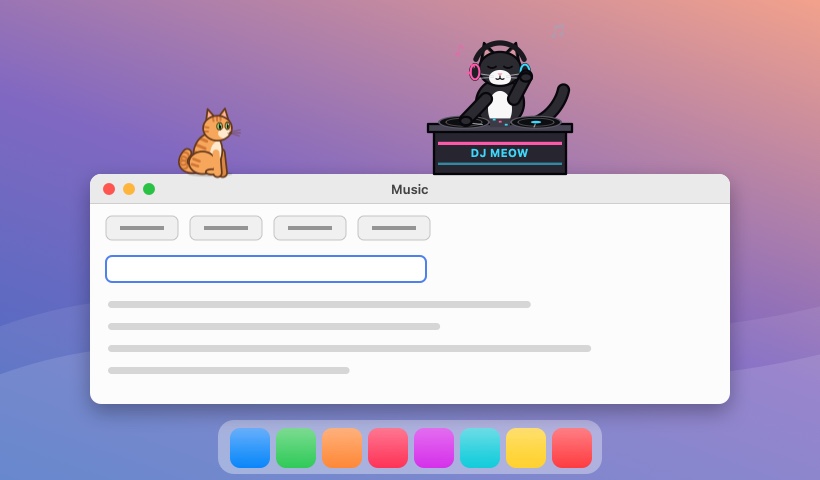
A tuxedo cat in big headphones stands behind a DJ booth labelled DJ MEOW on top of a Music window, one paw on a spinning record and the other in the air, eyes closed; an orange cat sits nearby.
New: DJ cat · With a licence

Put some music on. Meet DJ Meow.

Play music on your Mac and, after a few seconds, a cat sets up a DJ booth, pulls on its headphones and gets to work: scratching a record with one paw, pumping the other in the air, nodding along to the beat with its eyes closed while notes float up.

With more than one cat, it's never the one at the typewriter. Stop the music and the set's over: it packs up and goes back to being a cat. (Turn it off with Options → DJ When Music Plays.)

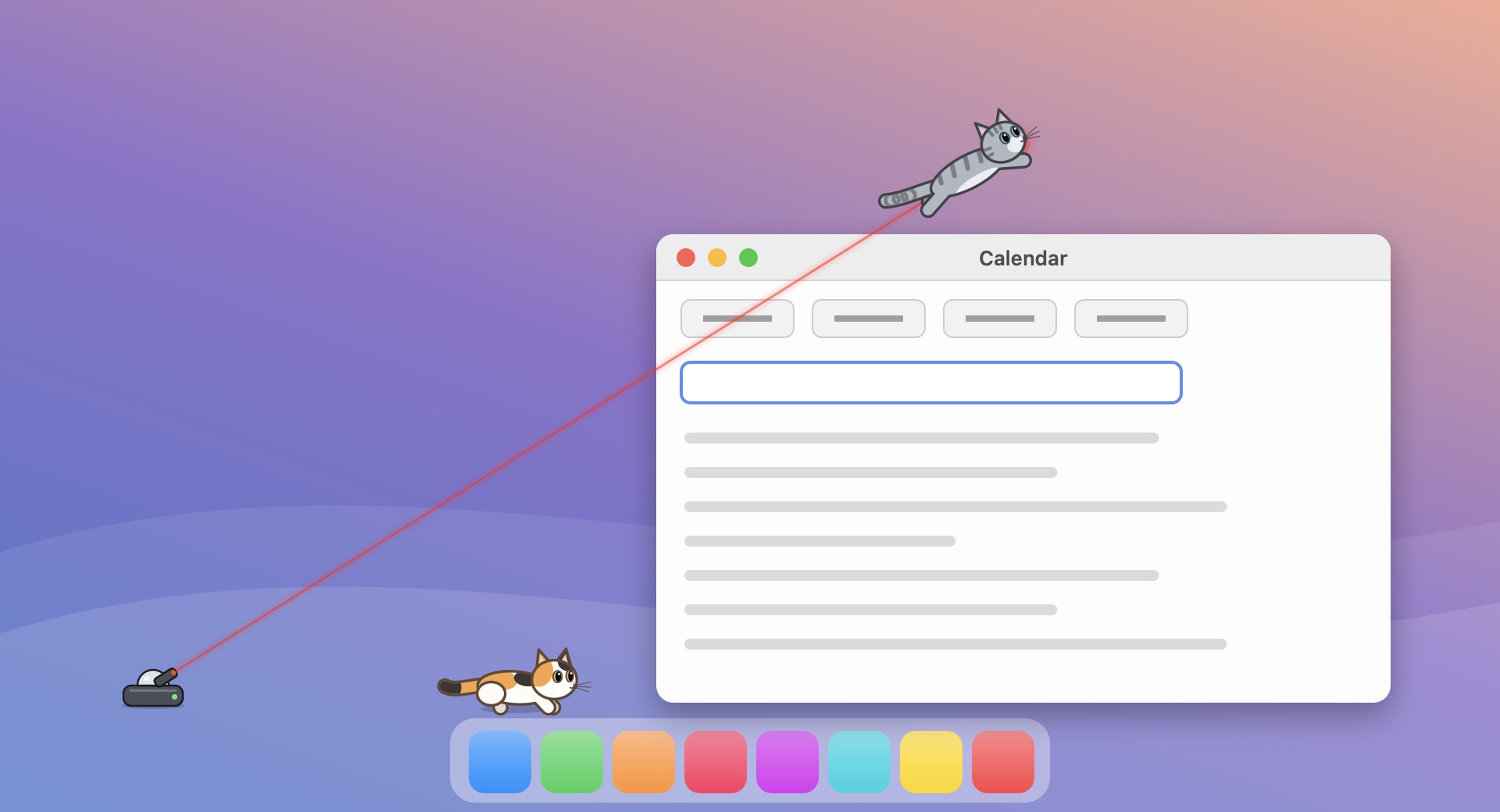
A small laser turret on the bottom of the screen shines a red beam up to a dot above a window; a gray tabby leaps at the dot while a calico crouches, ready to pounce.
Laser toy · With a licence

An automatic laser toy

Drop a little laser turret anywhere on screen (⌃⌥L). It swivels and shines its beam at a red dot, which it steers around the cats in a random pattern built to get them moving: skittering along their ledge and stopping just out of reach, darting across so they have to hop, hovering overhead so they leap, and zig-zagging until they lose their minds.

Drag the toy wherever you like; click it to switch the beam off. Afterwards the cats look around, baffled, and groom to save face.

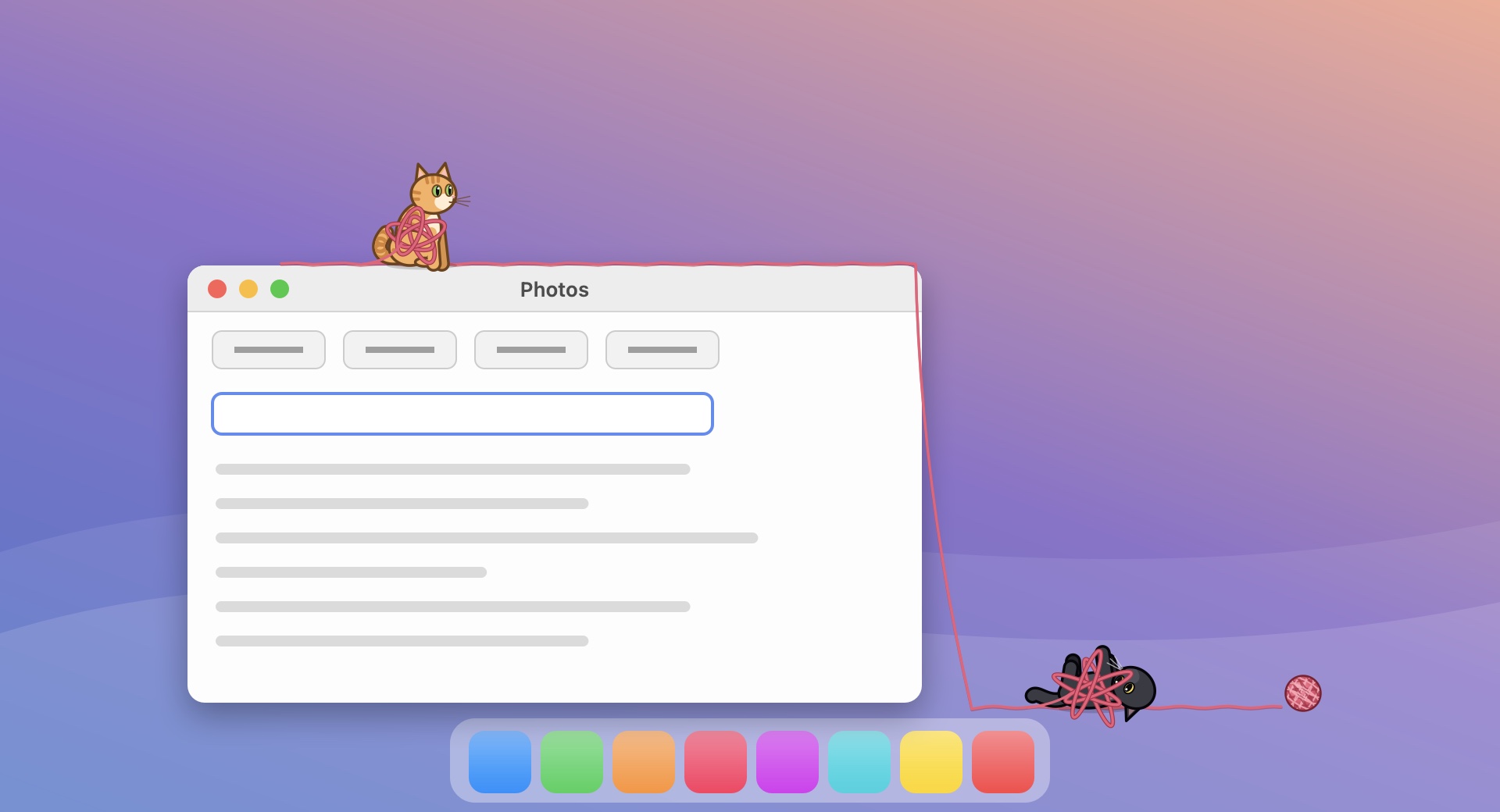
A strand of pink yarn runs along the top of a window, hangs down its side and across the bottom of the screen to a ball of yarn; a black cat rolls on its back tangled in the yarn and an orange cat sits wrapped in loops of it.
Ball of yarn · With a licence

Yarn, everywhere

Every so often a cat finds a ball of yarn to bat around, or you can toss one in (⌃⌥T). As it rolls it unwinds, leaving a strand across your screen that drapes over the edges of windows, and the ball gets smaller and smaller until it's all used up.

Cats that find the loose yarn flop onto their backs and roll around in it, then wander about wrapped up for a while before shaking it off.

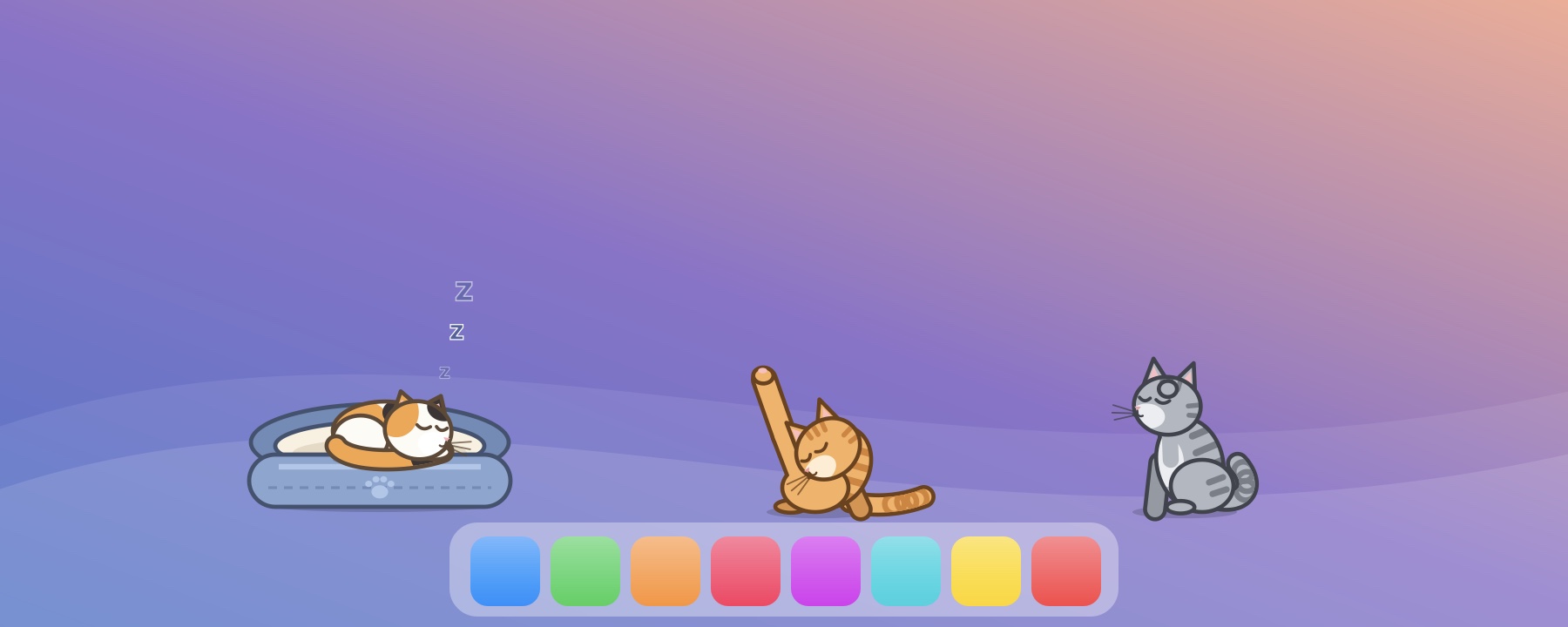
A calico sleeps curled up in a blue plush cat bed while an orange cat grooms with one leg in the air and a gray tabby washes its face.
Cat bed · With a licence

A bed of its own

Give your cat a plush bed (⌃⌥B) and drag it anywhere. It's the favourite nap spot, and a cat in the bed rides along when you move it. In between naps they groom: paw licking, face washing, back licking, and the classic leg-straight-up-in-the-air pose.

Move the mouse slowly back and forth over a cat to pet it, even a sleeping one, and it purrs.

A cream cat tree with fluffy green platforms stands at the bottom right of the screen, an orange cat on top and a gray tabby batting a green pom-pom hanging from it; a calico lounges on the end of a wooden shelf and a black cat naps on a green cloud ledge.
New: furniture · With a licence

A cat tree, shelves and clouds

Give the cats somewhere to climb (Furniture in the menu). The cat tree (⌃⌥R) has three fluffy platforms they love to sit on, and pom-poms on strings that they come over to bat until they swing.

Add wooden shelves and cloud ledges anywhere on your screen, as many as you like. Drag any piece where you want it; a cat on it rides along, and everything stays put for next time.

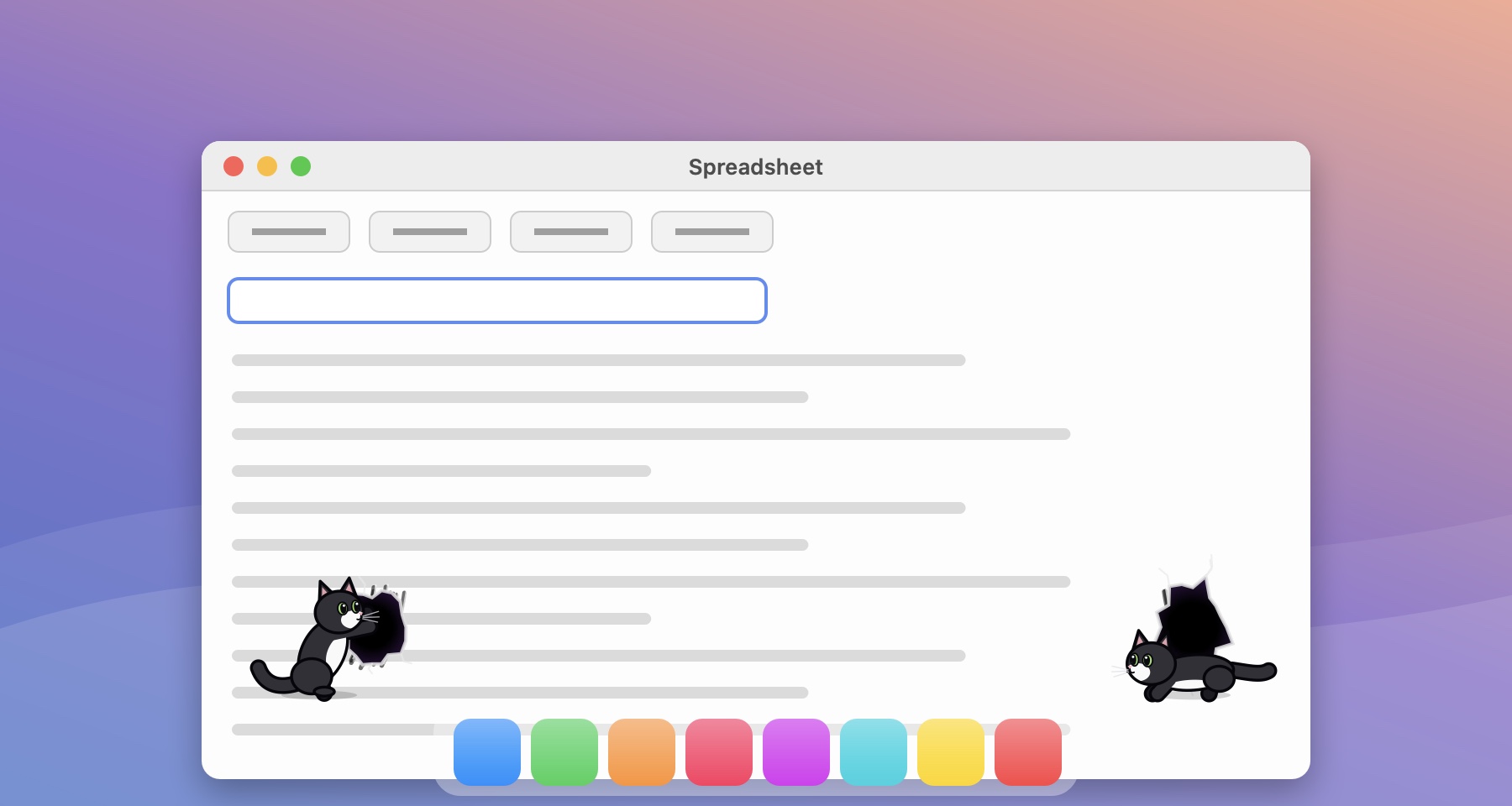
A tuxedo cat rears up and claws a torn hole into a window; on the other side, the same cat crawls out of another hole.
Magic

The hole trick

Sometimes a cat rears up, scratches at the screen with a few swipes of its claws, tears a hole right into whatever app is behind it, dives in, and pops out of a fresh hole somewhere else entirely. The claw marks fade away afterwards. (⌃⌥H to see it on demand.)

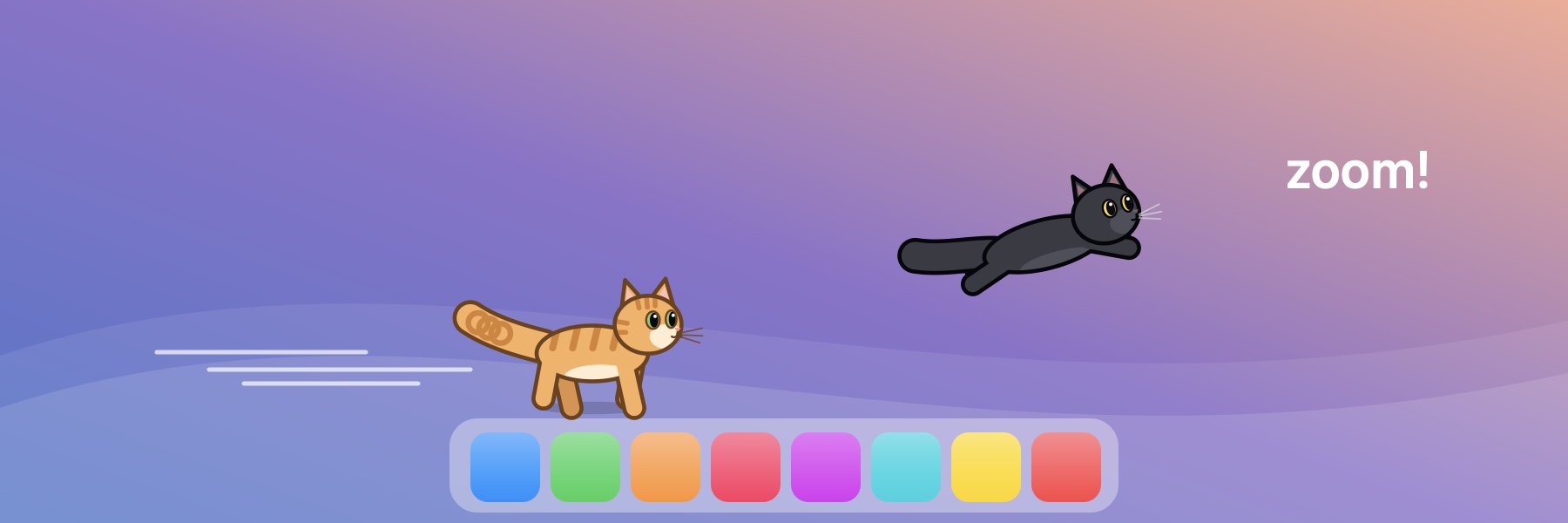
An orange cat sprints with a puffed-up tail and a black cat leaps through the air, with speed lines and the word zoom.
Zoomies · With a licence

Twice a day, it loses it

At 8 AM and 8 PM (or whenever you set) the cats get the zoomies for ten minutes: tails puffed up, eyes wide, sprinting, spinning, and hopping all over your screen. Start a round yourself any time with ⌃⌥Z.

Coats

Pick each cat

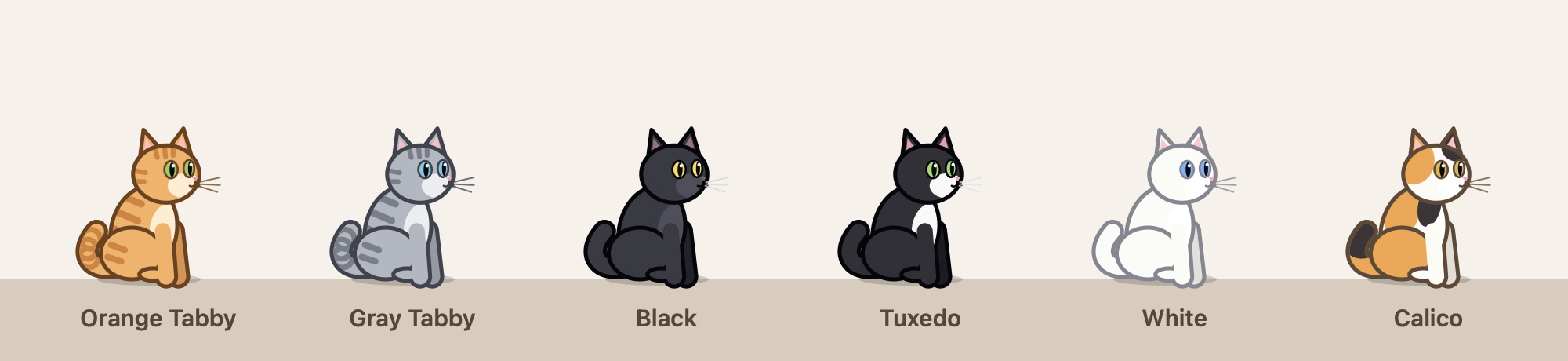
Orange tabby, gray tabby, black, tuxedo, white or calico, and each cat can be a different one: Add a Cat… shows you the six to choose from. Small, medium or large.

Six seated cats in a row: orange tabby, gray tabby, black, tuxedo, white and calico.

And all the little things

🖱️

Chases your cursor

Whip the mouse around and a cat may give chase. Let it rest nearby and it stalks, wiggles and pounces.

⌨️

Plays with your text cursor

Sometimes it trots along the top of the field you're typing in, batting at the caret.

🧲

Clinginess, 1 to 10

Cats aren't clingy, so by default it ignores you. Turn it up and it follows you around, at a polite distance.

🐈‍⬛

Crazy Cat Lady

One cat not enough? Add them in Settings, picking each one's coat, or add 20 at once. Each one has a mind of its own.

💤

Naps in visible places

It curls up on window tops when it's tired. Wiggle the mouse nearby to wake it.

⚙️

Settings, all in one place

Open Settings (⌘, from the cat menu) to see all your cats, change any one's coat, remove one, or add another.

🗂️

A tidy menu

Everything in the cat menu is grouped: Play, Zoomies, Furniture, Cats and Options.

🚀

Open at login

Lives in your menu bar, starts with your Mac, and stays out of your way.

Free to try. A licence unlocks the rest.

Download it free and live with one cat for as long as you like. Buy a licence and unlock everything, on up to two of your Macs.

🐈

Free

One cat, in any coat, that climbs your windows and buttons, purrs when you pet it, chases your cursor, naps, grooms and does the hole trick.

🔓

With a licence

As many cats as you like (each its own coat, or twenty at once), the cat bed, cat tree, shelves and cloud ledges, the ball of yarn and the laser toy, the zoomies, the typewriter, the DJ, and keeping the cats on one screen of your choice.

🧾

How it works

Buy through Polar, our shop. Your licence key arrives by email: choose Unlock Desktop Zoomies… in the cat menu and paste it in. It's yours to keep.

Keyboard shortcuts

These work from any app. Everything is also in the cat menu in your menu bar.

⌃⌥ZZoomies for 5 minutes (press again to stop)
⌃⌥TToss a ball of yarn
⌃⌥BShow or hide the cat bed
⌃⌥RShow or hide the cat tree
⌃⌥HDo the hole trick
⌃⌥NNap time
⌃⌥LLaser toy on or off

Install

  1. Download the disk image and open it.
  2. Drag Desktop Zoomies into your Applications folder, then open it from there.
  3. Optional: when asked, allow Accessibility access so the cats can play on buttons and text fields and join you at the typewriter.
  4. Bought a licence? Click the cat in your menu bar, choose Unlock Desktop Zoomies… and paste the key from your receipt email.

Privacy

Nothing about you leaves your Mac. Desktop Zoomies has no accounts and no analytics. The only time it goes online is to check a licence key with Polar, our shop: when you unlock it, and about once a week after. The free version never goes online.

With Accessibility access it reads only where buttons and fields are on screen, never what's in them, skips password fields entirely, and never clicks or types. For the typewriter it counts that a key was pressed, never which key. For the DJ it notices that something is playing sound, never what, and it never listens to it.

Without the permission the cats still roam the tops of your windows.

Privacy policy

Requires macOS 13 Ventura or newer. Runs natively on Apple silicon and Intel Macs.